
Automate binary options entries with MT4, MT5 and TradingView signals

Connect MT4, MT5 and TradingView alerts to order processing on supported binary options platforms. AMT is a Windows app that connects your existing signals to trading.

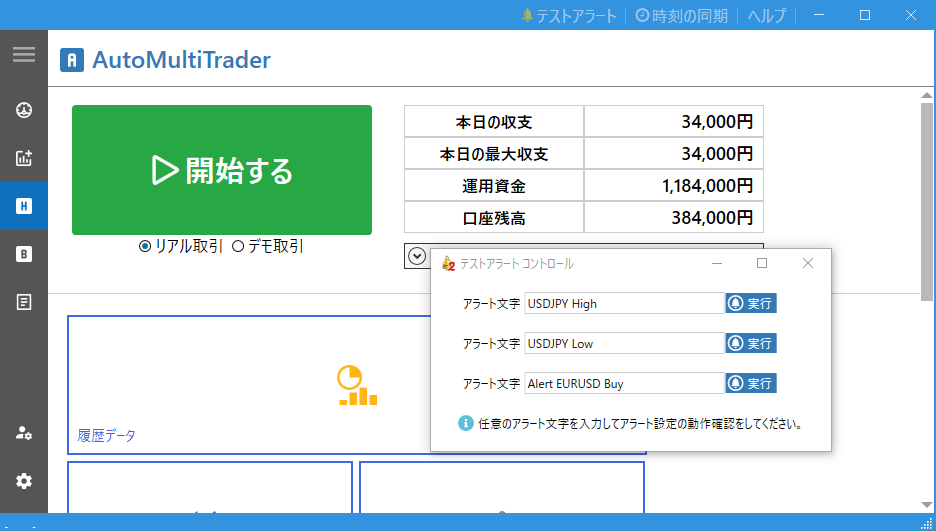
AMT trading interface

Multiple alert sources

Receive MT4 and MT5 alerts, webhooks and file changes. Connect TradingView through a webhook.

Entries that match your conditions

Control processing with supported conditions such as alert text and payout thresholds.

Test in demo first

Use actual alerts to check your settings, recognition and processing before deciding on a license.

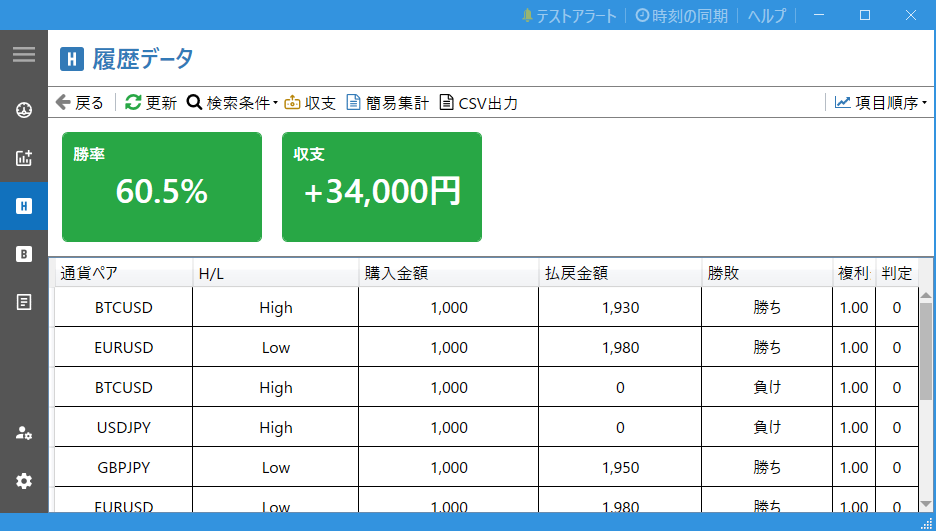
AMT history interface

Check history and logs

Check alert recognition and processing results. Demo testing does not guarantee identical behavior or results in real trading.
Start by checking the intended behavior in the free demo.

All features are available free in demo trading. Check how AMT works in your own environment first.

From alerts to order processing

AMT connects signals received from MT4, MT5, TradingView or a webhook to order processing on supported platforms, according to your settings. Check the receiving method and platform requirements, then test in the demo first.

AMT does not generate trading signals. Connectivity, settings and platform conditions can prevent orders from completing. AMT does not guarantee profits or trading results.

Getting started with AMT
MT4 / MT5TradingViewWebhook
AMT v2
Process the order

Configure AMT for your signals

Configure alert matching, trading conditions and history review for your workflow. Check differences between supported platforms and settings in the demo.

Rate and result updates

Receive rates and results from supported platforms for order processing and history review. Availability depends on the connection and platform specifications.

Set payout rate conditions

Filter entries by the payout rate offered by the platform. Check the conditions for each instrument and trading option.

Retry with rate conditions

Set rate conditions for retries after an order is rejected. Retrying does not guarantee execution or a favorable execution rate.

Virtual entry result conditions

Use a virtual entry win or loss result as a condition for the next entry. Verify your settings and their behavior in the demo.

Match alert text

Set both matching text and text that must be absent. Verify matching against the alerts you actually receive.

Trading integration for Windows

Connect signals to trading on your Windows PC. Check the requirements and test with your PC and chosen platform.

Receive signals by webhook

Receive signals sent to a webhook URL. Configure the URL and message in the sender, such as TradingView.

Check what you need before buying

You need a Windows PC, a signal tool that produces alerts and a trading platform supported by AMT. The AMT app cannot run on a smartphone alone.

Requirements and download →

Pricing and licenses

Check operation in the free demo, then choose a license for your preferred duration.

View pricing and licenses

Ask about purchasing →

Check the code or link provided by your referrer. Enter a code to see the applicable price. You can ask about purchasing even if you do not have a code.

Please sign in to contact us so we can verify your account and provide secure support.

Frequently asked questions

Does AMT produce trading signals?

Provide your own trading signals. AMT connects received alerts to order processing based on your settings.

Can I try AMT before buying?

All features are available free in demo trading. Check how AMT works in your own environment first.

Getting started with AMT
Does AMT support every tool and platform?

Compatibility depends on your alert source, platform and settings. Check the help and verify your setup in the free demo.

Read the detailed help
Can I ask about purchasing?

Please sign in to contact us so we can verify your account and provide secure support.

Ask about purchasing

Supported trading platforms

AMT supports BabaOption, The Option, Bi-Winning, Astro, Bubinga and FiveStarsMarkets.

Available trades, accounts and conditions depend on the AMT version and trading platform. Verify your setup with free demo trading before use.

Become an AMT promoter

Referral commission from 20%

Introduce AMT through your signal tools or educational content. Eligible recurring payments also earn commission.

Start with the free demo

All features are available free in demo trading. Check how AMT works in your own environment first. AMT does not generate trading signals. Connectivity, settings and platform conditions can prevent orders from completing. AMT does not guarantee profits or trading results.