Set amounts and order limits
Configure order amounts, concurrent order limits and intervals for the same instrument. Define these rules before trading.

For everyone who has used AMT before
More platforms to choose from. Connect your own signals to a new trading environment and explore AMT v2 with a free demo.
Restart AMT with a free demoAll features free in demo trading · Windows PC
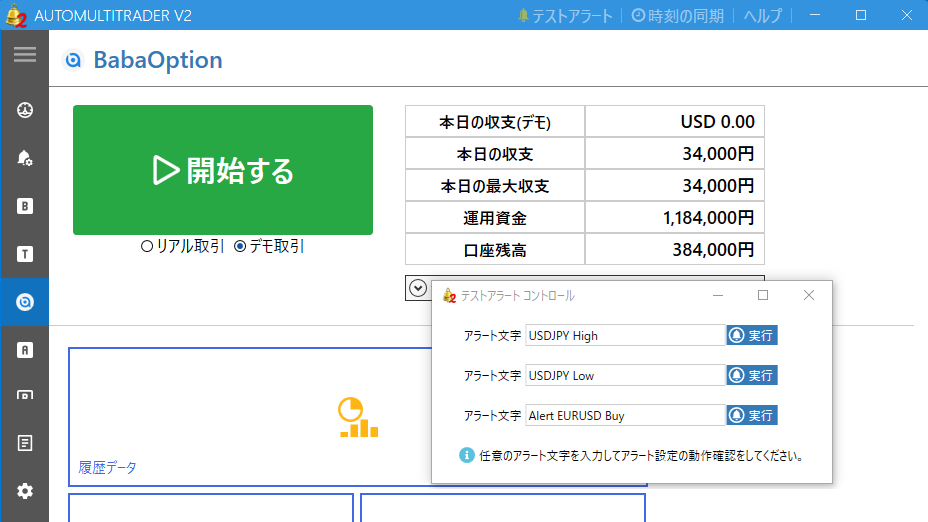
You supply the signals. AMT connects incoming alerts to order processing based on your settings.
New reasons to return
Astro is a new trading platform launched by the official team behind HighLow. For those who used AMT with HighLow, it offers a new platform to consider when returning.
Receive your own signals and connect them to Astro orders using your instrument, direction and amount settings. Check your combination of signals and settings in a demo environment first.
This does not imply transfer of HighLow accounts, balances or login details.
Astro official: the HighLow connectionBabaOption serves users in over 160 countries, according to its official information. AMT now supports its UP & DOWN trading.
BabaOption offers forex, crypto, indices and more. Select instruments supported by AMT and configure order conditions for your signals.
Use the platform’s demo environment with AMT’s free demo to check the path from incoming alerts to order processing in your setup.
AMT does not necessarily support every instrument or trade type offered by the platform. Check current trading conditions and regional availability with each provider.
AMT continues to support Bi-Winning, The Option, Bubinga and FiveStarsMarkets. Receive signals, process orders using your conditions, and review history in AMT.
Available features and settings vary by platform. Check settings and behavior when connecting to a different provider.
Put your own signals to work
MT4 / MT5 · TradingView · Files
TradingView connects via webhook
Entries when your conditions match
Configure order amounts, concurrent order limits and intervals for the same instrument. Define these rules before trading.
Control processing with alert text and payout-rate conditions. Exclude entries that do not match your settings.
Set pauses by day and time, or stop new entries based on daily results. This does not cap losses on open trades.
Review received alerts and order results in history and logs. Revisit your settings in demo before considering live use.
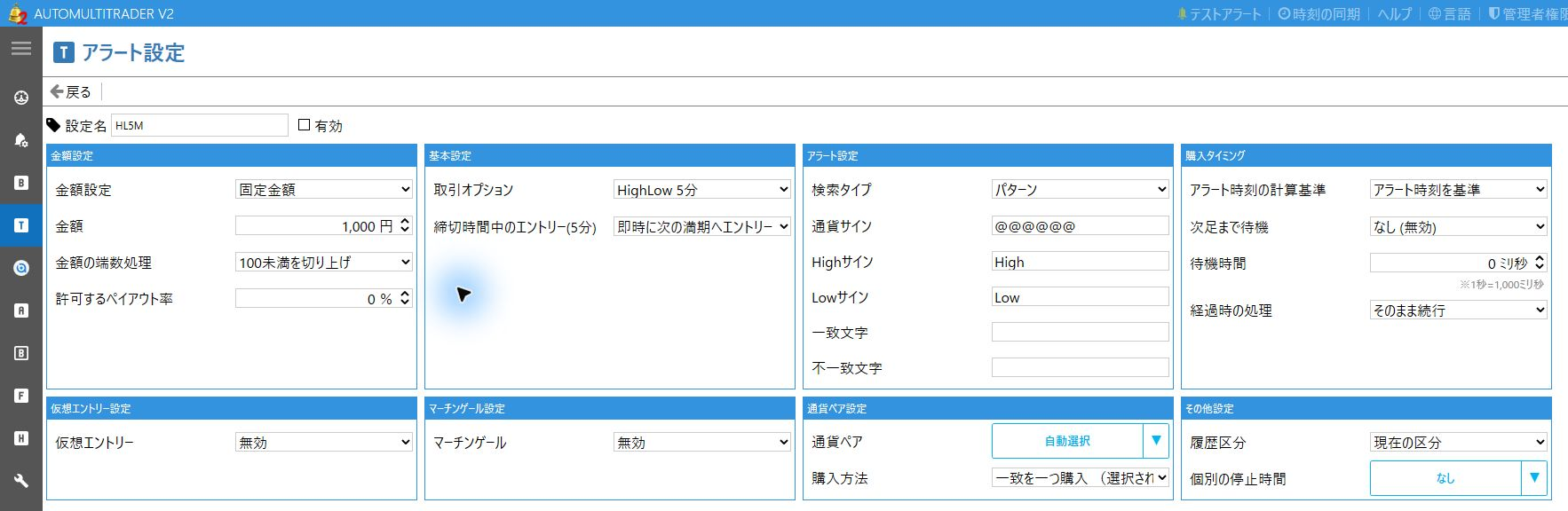
Return with a free demo
Check connections, signal recognition and order processing before purchasing. Follow the path for your previous version.
Check the requirements on your Windows PC and install from the official download page.
Requirements & downloadCreate an account for v2. Your v1 account cannot be used to sign in directly.
Create an AMT v2 accountConnect to your provider’s demo environment and ensure demo trading is selected. Use your own signals to check reception, orders and history.
View setup examplesAll features free
Check AMT connections and settings before buying.
An AMT v2 paid license is required. See the current pricing page for fees, periods and renewal conditions.
View pricing & licensesYou need a Windows PC, a signal tool, and access to a supported trading environment. The AMT app cannot run on a smartphone alone.
You can continue using your AMT v2 account. If you only used AMT v1, you need to register for v2.
AMT provides a settings import and export feature. If you have your previous settings, you can import them to use them again.
However, AMT v1 settings cannot be transferred to AMT v2. In that case, check your new connection settings and alert recognition with the free demo.
AMT has no signal-generating logic. Supply signals separately, for example through MT4/MT5 or TradingView. AMT connects received alerts to order processing using your settings.
All AMT features are free in demo trading. Live trading requires a paid AMT v2 license. Trading deposits and costs such as signal tools are separate from AMT fees.
You can view this page on a smartphone, but the AMT app requires a Windows PC. Check the requirements on the download page before installation.
Setup examples are available in Help. Personal support inquiries require signing in to the website with an AMT v2 account.
Astro, BabaOption, and the platforms you know. Explore today’s AMT with a free demo first.
Restart AMT with a free demoAll features free in demo trading · Windows PC