Help & Guide
LINE Notifications
Important
LINE Notify will end its service in March 2025.After the service ends, please use Discord notifications instead.
By configuring a LINE access token, you can receive AMT entry results and judgment results on LINE.
Notifications are delivered to your LINE account through the configured token. Your LINE account and personal information are not shared with anyone, so you can receive notifications securely.
(Due to the LINE Notify specification, AMT cannot identify your LINE account.)
Notifications are delivered to your LINE account through the configured token. Your LINE account and personal information are not shared with anyone, so you can receive notifications securely.
(Due to the LINE Notify specification, AMT cannot identify your LINE account.)
■ How to obtain a LINE Notify access token
Step 2
Sign in to LINE using “Log in”, then open “My Page”.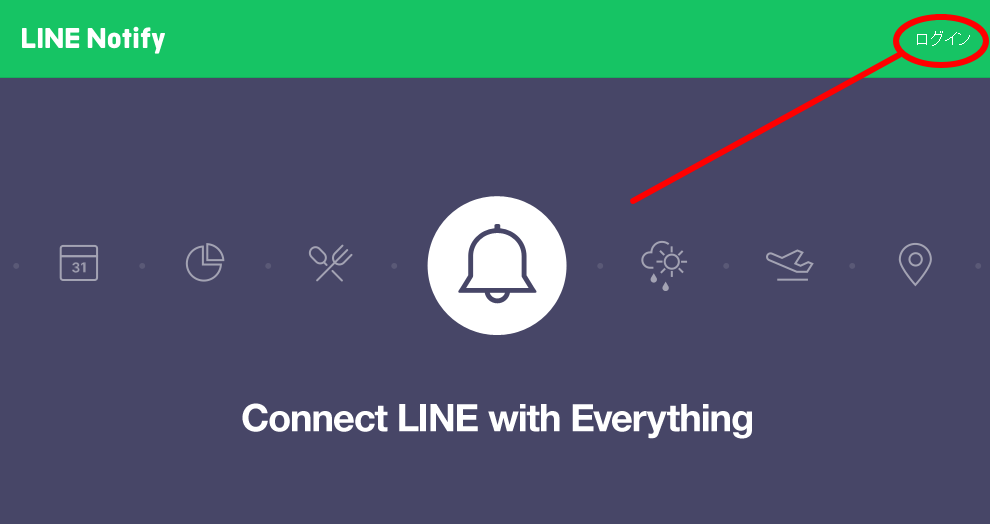
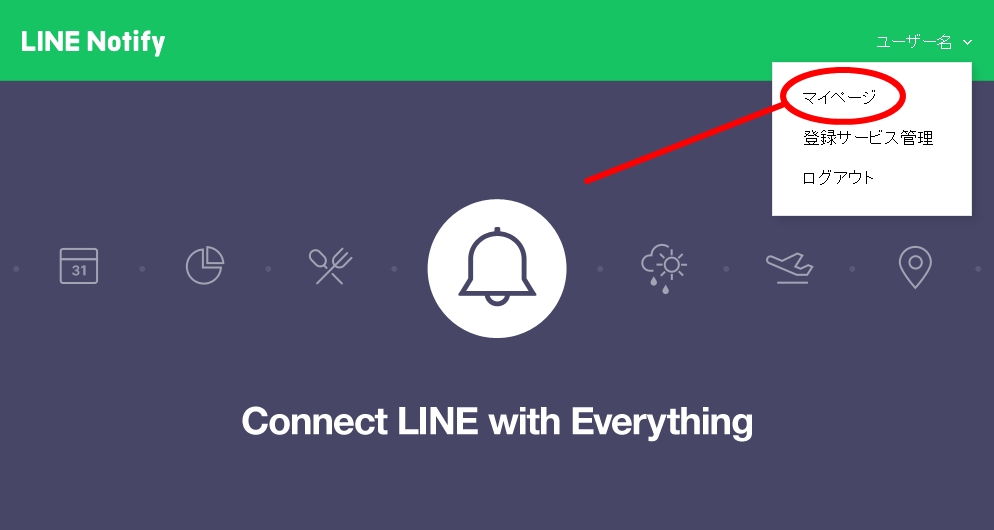
Step 3
Select “Issue token”.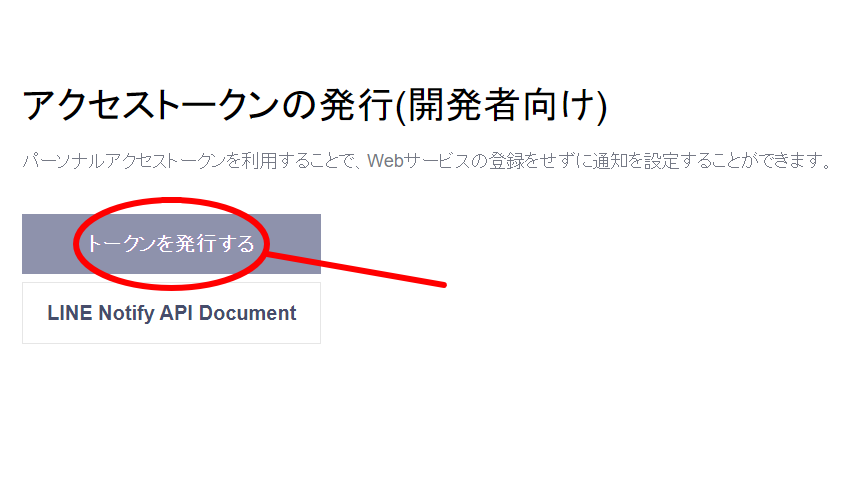
Step 4
Enter any name (for example, “AMT”) in “Token name”, select “Receive 1:1 notifications from LINE Notify”, and then select “Issue”.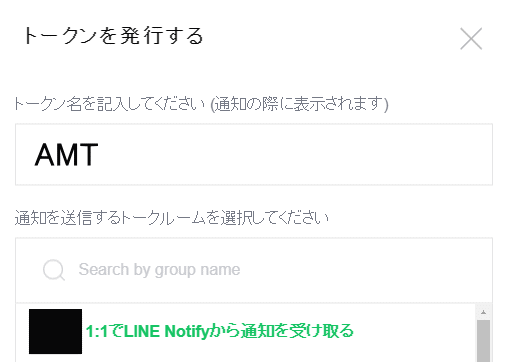
Step 5
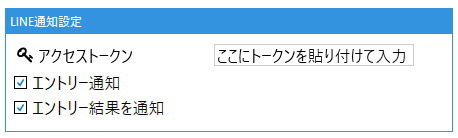
Copy the issued token, then paste it into the input field below to configure it.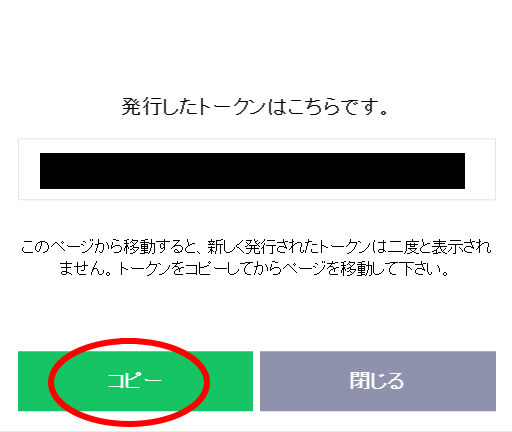
You have now obtained the access token.
Finally, paste the access token into “LINE notification settings” under “Account settings” in the AMT application and save it to complete setup.