Help & Guide
Automatic MT4/MT5 detection
Open Alert reception settings (「アラート受信設定」) in the left menu of AMT.
Select MetaTrader (MT4/MT5) to open its settings.
Screenshots show the Japanese interface. Japanese labels in the instructions help you match the controls.
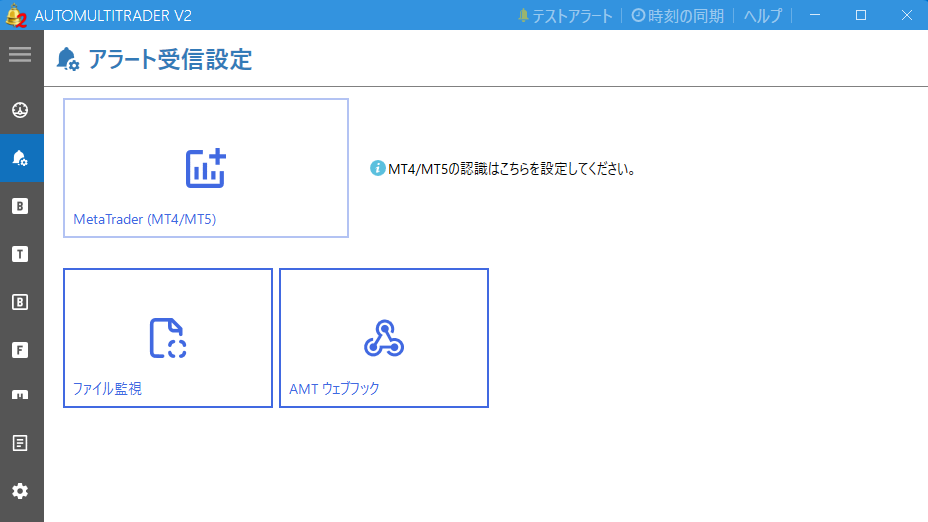
Choose manual detection or Start automatic detection (「自動検出を開始する」). AMT starts detecting MT4/MT5 and lists running terminals at the bottom of the screen.
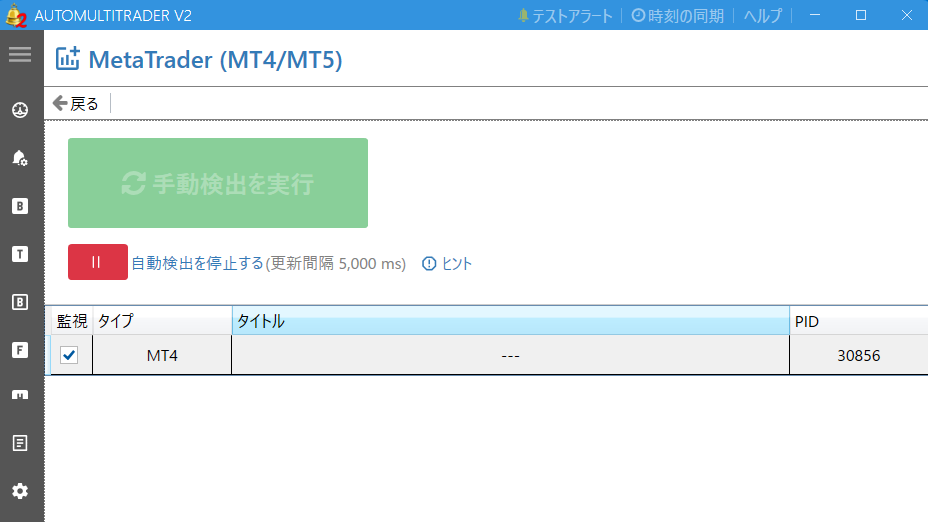
AMT can now automatically recognize alerts from the detected terminals.
If the green Start automatic detection (「自動検出を開始する」) button is visible, click it. While detection is running, it changes to the red Stop automatic detection (「自動検出を停止する」) button.
Detection still works if the Title (「タイトル」) of an MT4/MT5 terminal is not displayed.